
What you can do with it
Connect the right business account
Prepare a supported WhatsApp Business connection, sender identity, templates and a monitored reply path.
Match intent to the message
A reminder to finish a cart is marketing content. Do not label it as a transactional shipping update.
Help with the reason they paused
Answer sizing, product or policy questions from store data, with a human handoff for exceptions.
Keep contact under control
Set contact limits and stop on purchase, opt-out or unresolved support issues. Verify suppression across your other tools.
How the workflow runs
Connect Shopify and WhatsApp
Check store access, sender setup, business account status and the channel connection before creating a campaign.
Prepare the permitted message
Check the shopper’s permission and use the approved template/category required for business-initiated contact. A checkout phone number alone is not blanket consent.
Select a useful moment and audience
Wait for your configured delay and exclude recent purchases, opted-out recipients and ineligible records.
Handle replies and checkout links
Help with supported questions, pass exceptions to the team and send an appropriate Shopify checkout link. Do not ask for payment credentials in chat.
Stop and reconcile
Recheck purchase and opt-out state, record delivery and reply outcomes, and compare contribution after message and offer costs.
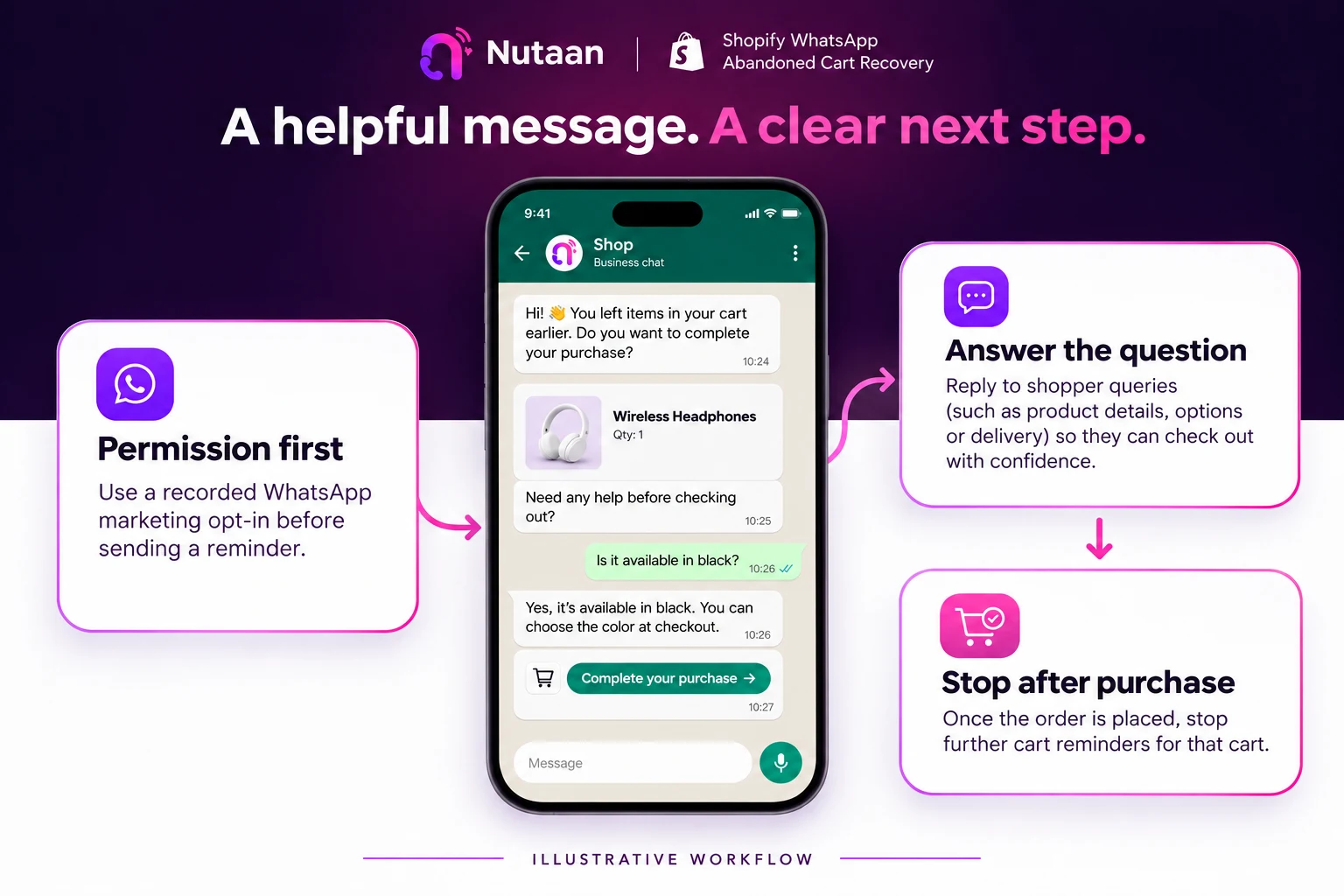
What you actually see
Masked product screens. Captions identify the workflow shown; figures are not a recovery or delivery guarantee.
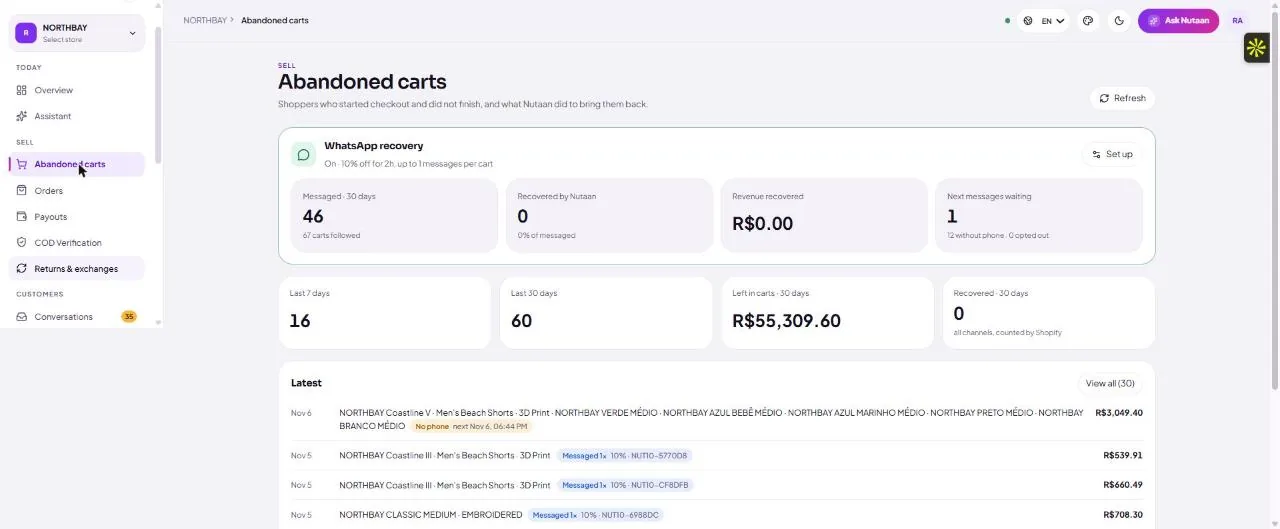
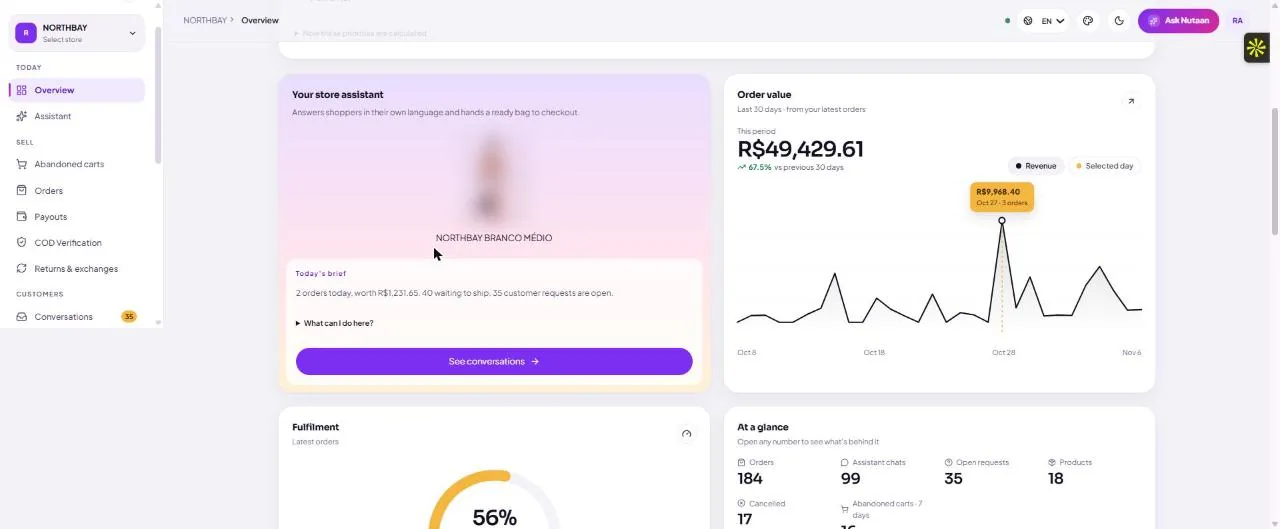
Message intent comes before message volume
A shopper who asks whether a size is available needs an answer, not three discount codes. A shopper who has already paid needs suppression, not a recovery pitch. Start by specifying the question your message helps resolve.
Growth includes abandoned-cart recovery; Enterprise adds advanced WhatsApp automation and AI recovery calling. The enabled channel, templates and actual configured workflow determine the journey available to your store.
By market
United States
Evaluate higher-value checkout recovery where contribution margin can cover a helpful conversation. Validate permission, permitted calling methods, contact hours and opt-outs before a pilot. A large cart alone does not make contact appropriate.
United Kingdom
Start with selected high-margin brands and permission-ready pilots. Check the proposed email, WhatsApp and automated calling journey against applicable UK marketing rules before launch; checkout contact details alone are not a blanket permission.
India
Prioritise qualified COD stores with a reachable checkout number, clear communication permissions, a fulfilment review process and enough order margin to justify contact. Keep abandoned-checkout recovery separate from post-order COD confirmation.
What it costs
Growth
$500 USD / 30 daysShopping assistant, catalogue and orders, abandoned-cart recovery and COD verification by email. Up to 2 Shopify stores per Commerce account. AI recovery/COD calling is not included in Growth.
Enterprise
$1,200 USD / 30 daysGrowth features plus advanced WhatsApp automation and AI calling for cart recovery and COD verification. Up to 2 Shopify stores. Recurring Shopify subscription; approval is required before billing starts.
Calling and connected services
Confirm usage costs before launchAsk for the applicable calling-minute rate, number rental, destination charges, email transport and any connected-service fees, including what your plan includes. Do not treat the subscription as unlimited calling or add a second charge for an item already included.
WhatsApp delivery and offers
Market and message category matterWhatsApp Business Platform charges depend on delivered message category and recipient market; connected messaging services may have their own fees. Include discounts, tax and currency conversion in your budget. A cart reminder is marketing content, not an order-service update.
Confirm your subscription and usage terms on the Shopify listing. Prices are in USD; existing contracted customers keep their agreed billing arrangement.
Before you switch it on
Business setup and reply ownership
Your supported WhatsApp connection needs a business sender, appropriate templates and someone responsible for replies and failed sends. Confirm the exact setup and any connected-service charges during onboarding.
A business-initiated cart reminder must meet WhatsApp requirements and applicable local rules. Do not repurpose an order-update template to send an offer.
A coordinated recovery programme
Know which system sends the email, which sends WhatsApp and which schedules a call. Do not turn a WhatsApp non-response into an automatic call without the appropriate permission and configured calling workflow.
Before launch, test an opt-out, a completed purchase, an unavailable variant and a reply requiring a human. A sent message is not proof that a cart was recovered.
Frequently asked questions
Can I send WhatsApp recovery messages to every checkout number?
No. Confirm appropriate permission, message category and template requirements, and the rules applicable to the recipient market. Honour opt-outs.
How is WhatsApp recovery priced?
Enterprise is $1,200 USD per 30 days and includes advanced WhatsApp automation. WhatsApp charges depend on delivered message category and market; confirm any additional connected-service fees and plan inclusions before launch.
Is this the same as a COD confirmation?
No. Recovery concerns an unfinished checkout. COD confirmation concerns an order already placed and should have its own purpose, rules and fulfilment review.
Read next
Email, WhatsApp and calling timing with explicit stop rules.
Account for recovery costs →Message delivery, calling, discounts and incremental contribution.
AI checkout recovery calls →A dedicated configured calling workflow for eligible abandoned checkouts.
COD confirmation before dispatch →Order intent, address checks, callbacks and fulfilment review.
See it on your own business
Review your store, permissions, workflow and usage budget before launch.
Book a demo