How AI Recovery Calls Work on Shopify
A mechanical walkthrough of AI cart recovery on Shopify: how a cart becomes eligible, what happens on the call, how the recovery link rebuilds the checkout, and how to read the numbers it reports back.
An abandoned cart is the only moment in e-commerce where you know exactly what someone wanted, what it was worth, and that something stopped them — and you usually still have a way to reach them. Most stores answer it with a reminder email. This is what happens when the follow-up is a conversation instead.
This piece is about the mechanics rather than the pitch: how a Shopify cart becomes eligible, what the AI is allowed to say, what the recovery link actually rebuilds, and what the console reports afterwards. If you want the commercial summary instead, the cart recovery page covers pricing and setup.
What Shopify calls an abandoned cart, and when Nutaan sees it
Shopify records an abandoned checkout when a shopper reaches checkout, provides at least an email or phone, and does not complete the order. That is a narrower thing than "left the site" — a shopper who browsed and bounced never becomes an abandoned checkout, because Shopify has nothing to identify them by.
When the Nutaan app is installed, those checkouts arrive over the Admin API with their line items, total, currency and whatever contact details were captured. Nothing is scraped from your storefront and nothing is inferred: if Shopify does not have a contact for that shopper, neither does the recovery workflow.
Which carts qualify for a call
Not every cart earns a phone call, and treating them all the same is how recovery programmes turn into nuisance. Eligibility is decided per cart on four things: whether there is a reachable contact, what the cart is worth, how long ago it was left, and whether the shopper has already been contacted or opted out.
| Signal | What it decides |
|---|---|
| Phone number present | No number, no contact. The cart is still counted in the console so you can see how much of your abandonment is simply unreachable. |
| Cart value | Which channel it earns. Higher-value carts justify a call; below your threshold it is a WhatsApp message or nothing at all. |
| Time since abandonment | Whether it is still worth starting. A cart left two hours ago is a live conversation; one from last week is a cold one. |
| Prior contact and opt-out | Whether anything happens at all. A cart at your message cap, or belonging to a shopper who opted out, is closed without further contact. |
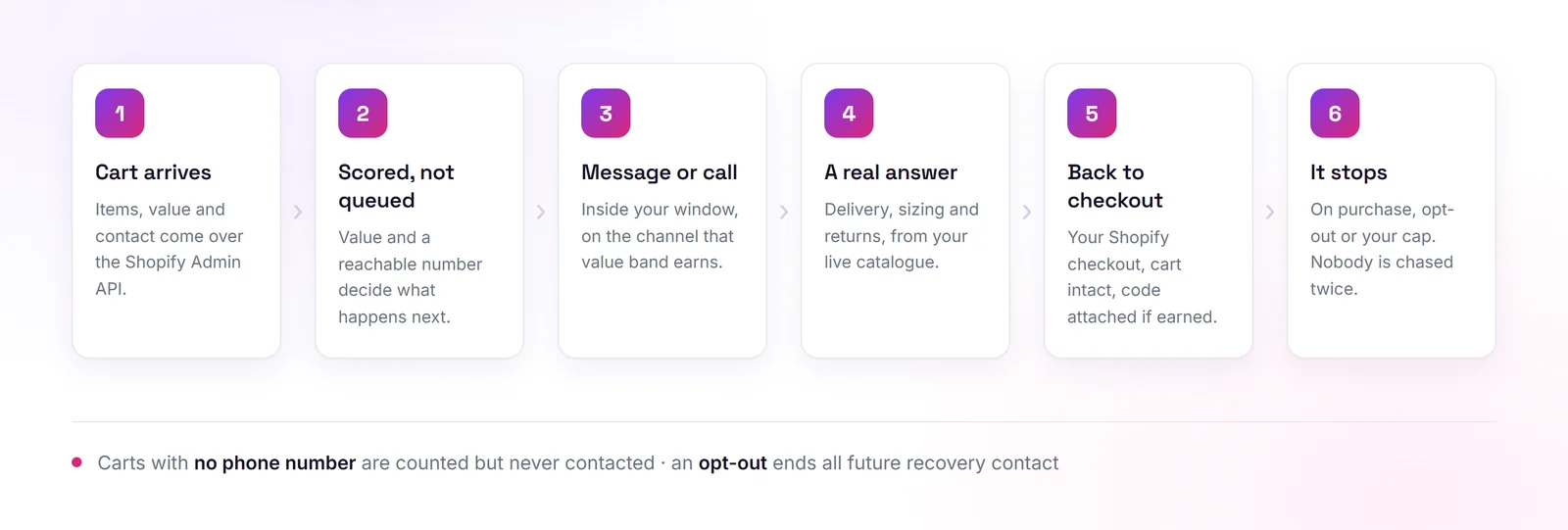
Those thresholds are yours. The point of setting them deliberately is that the cost of recovery is not the message — it is the discount you issue and the goodwill you spend. A rule that calls every cart will do more damage than one that calls the top fifth of them well.
What the call actually covers
The AI opens with the specific items rather than "your cart", because a shopper who left two pairs of shorts behind should not have to work out which store is phoning. From there it is a short conversation with one job: find out what stopped them and answer it.
The answers come from your live catalogue and policies — stock, sizes, delivery windows, return terms. That grounding is the whole difference between this and an automated reminder. A reminder cannot tell someone whether the item arrives before Friday; a grounded agent can, because it is reading your actual shipping configuration.
A typical exchange runs about forty seconds:
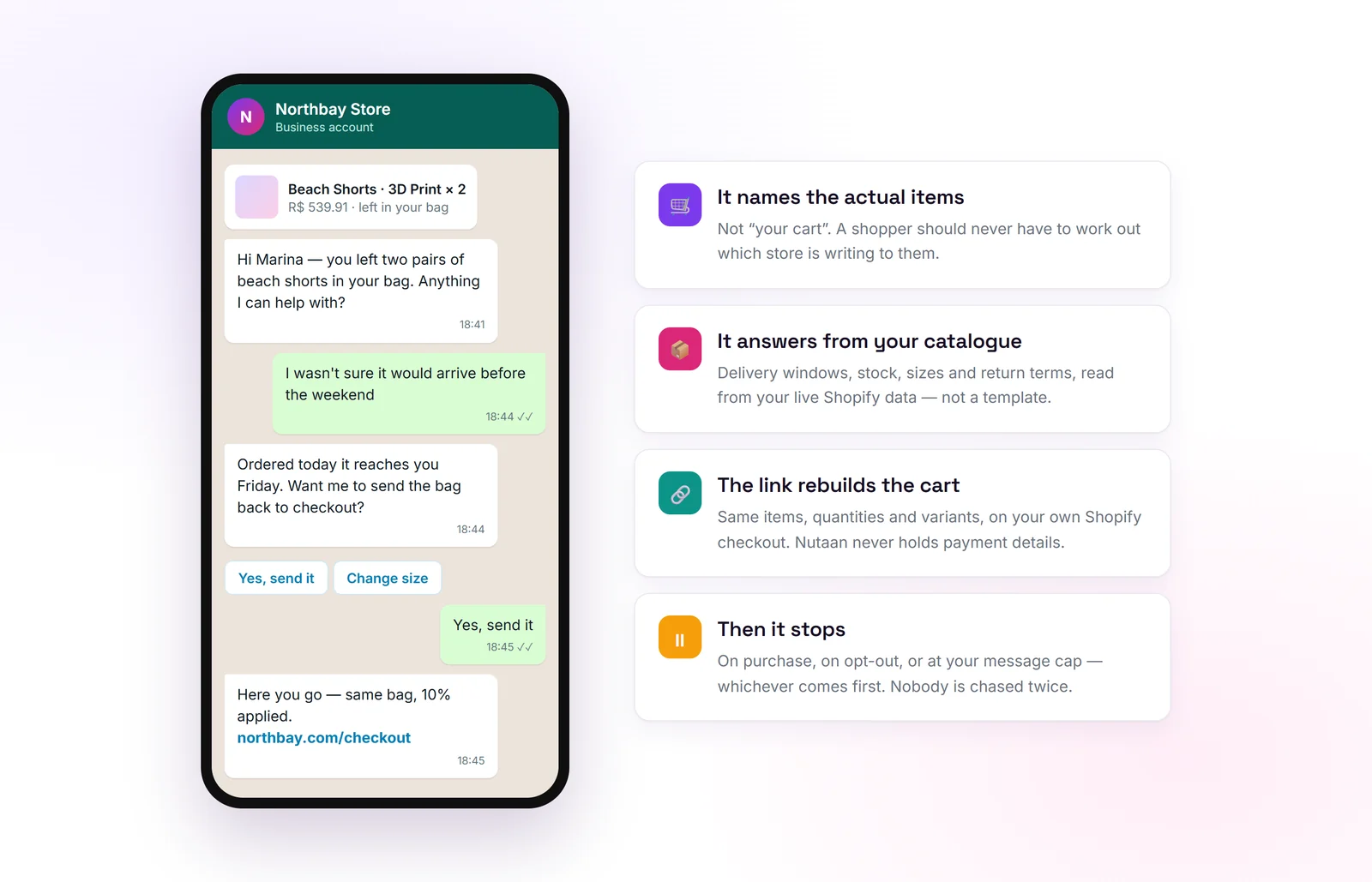
**Agent:** Hi Marina, you left two pairs of beach shorts in your bag — anything I can help with? **Shopper:** I wasn’t sure it would arrive before the weekend. **Agent:** Ordered today it reaches you Friday. I can send the bag back to checkout now. **Shopper:** Yes, send it.
If the shopper is not interested, the call ends there and the cart is closed — no second attempt, no "are you sure". If a question falls outside what the agent knows, it is handed to your team rather than guessed at. The failure mode you want from a recovery agent is silence, not invention.
The same walkthrough, as a film:
The recovery link, and what it does not do
When the shopper agrees, they get a link. That link returns them to your own Shopify checkout with the same line items, quantities and variants still in the cart, plus a discount code if your rules generated one for that cart.
What it does not do matters just as much. It does not place the order for them, it does not hold card details, and it does not move checkout to a Nutaan-hosted page. The order is completed by the shopper, on Shopify, through your existing payment setup — so your fraud rules, taxes, shipping logic and analytics all behave exactly as they do for any other order.
Discount codes are generated per cart rather than drawn from a shared pool, which is what lets you see in the console which code went to which cart and whether it was ever used.
How it stops
A recovery workflow needs a defined ending more than it needs a clever opening. Three things close a cart: the order is placed, the shopper opts out, or the message cap for that cart is reached.
Opt-out is immediate and applies to the shopper, not the cart — once someone says stop, they are not contacted about a future abandonment either. Carts without a phone number are never contacted at all, though they stay visible in the count so you can see what share of your abandonment is out of reach.
Reading the numbers honestly
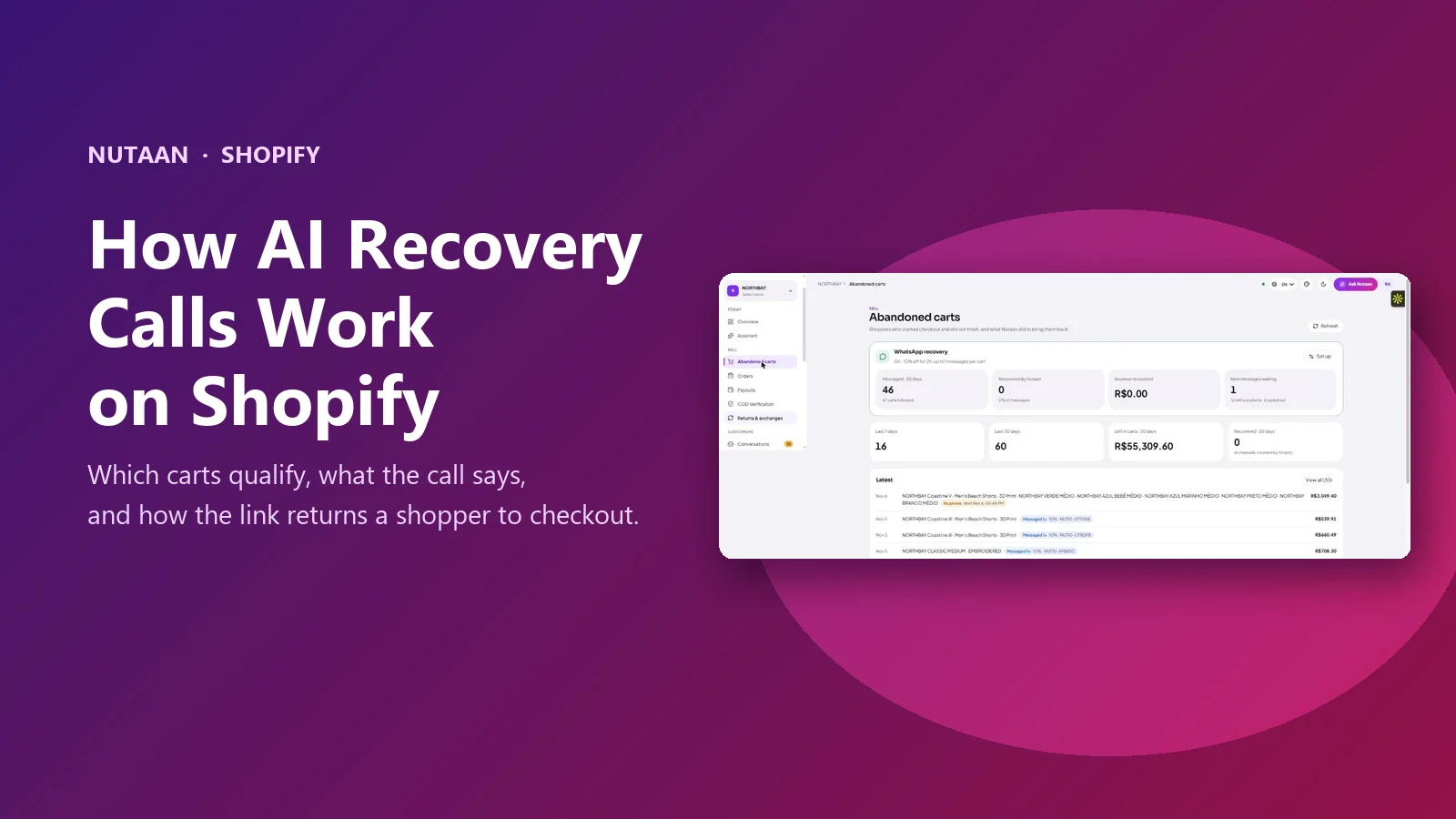
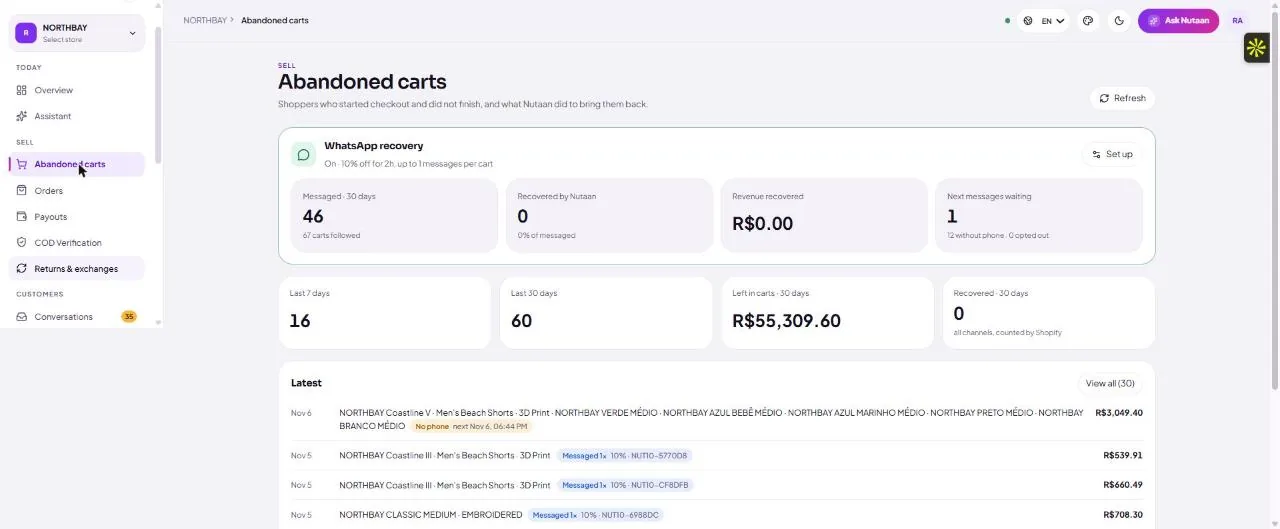
The abandoned carts page reports carts followed, messages sent, codes issued, value left in carts and value recovered, over a rolling 30 days, with every individual cart listed underneath.
It is worth saying plainly that this screen will sometimes tell you the programme is not working. A store can show dozens of carts messaged and nothing recovered — and that is useful information, not a bug. It usually points at one of three things: the follow-up window is too long, the carts being contacted are too low-value to justify an offer, or the contact details captured at checkout are too thin for the message to land.
Treat the first thirty days as a measurement, not a result. Set a real window, pick a value band worth a conversation, and judge it on what the console reports rather than on a recovery rate quoted by anyone — including us.
Where it sits next to Shopify’s own emails
Shopify already sends abandoned checkout emails, and Klaviyo or similar probably sends more. Recovery calling is not a replacement for either. Email is cheap, scales to every cart, and works fine on the shoppers who were going to return anyway.
A conversation costs more and should therefore be pointed at the carts email cannot help: the ones above your average order value, the ones where the shopper plainly had a question, and the markets where people answer WhatsApp and ignore email entirely. Run both, and let each do the part it is good at.
What you need before switching it on
Three things, none of them technical. A contact captured at checkout with permission to use it for marketing — without that, nothing should go out. A configured workflow: qualifying value, waiting window, channel per band, discount rules and message cap. And a decision about what you will do with the carts the workflow cannot reach, which is often a larger group than the one it can.
The setup itself is the Shopify app install plus the recovery rules; the cart recovery page lists the costs, the consent requirements and the market-by-market notes for the US, UK and India.
Frequently asked questions
Does every abandoned cart get a call?
No. Carts without a phone number are never contacted, and carts below the value threshold you set get a WhatsApp message or nothing. Calls are reserved for the carts where the conversation is worth more than it costs.
What happens if the shopper says they are not interested?
The call ends politely and the cart is closed. There is no second attempt on that cart, and an explicit opt-out stops all future recovery contact for that shopper.
Does the recovery link take the shopper off Shopify?
No. It returns them to your own Shopify checkout with the same items, quantities and variants, plus a per-cart discount code if your rules issued one. The order is placed on Shopify through your existing payment setup.
Can the AI answer questions about delivery and sizing?
Yes, from your live catalogue and policies — stock, variants, delivery windows and return terms. Anything outside that is handed to your team rather than guessed.
What if the console shows carts messaged but nothing recovered?
That is real information about the configuration, not a reporting error. It usually means the follow-up window is too long, the value band is too low to justify the offer, or checkout is capturing too little contact detail for the message to land.
Published by Nutaan AI. Written against the Nutaan Commerce abandoned-carts workflow as it ships in November 2026. Console figures shown are from a live store with its name and product titles masked. Recovery outcomes vary by store and are not promised here. Updated 6 November 2026.